Optimal purchase plan
The cheapest combination for your exact quantity, with how many units to buy from each listing.
 Eldorado Deal Finder
Listings on Eldorado.gg all price things differently. Some sell in bundles of 100, some in 50,000, and some have a minimum order you only find out about at checkout. Working out which is genuinely cheapest takes ages. This does it for you.
Type in the item and how many you need. The Deal Finder scans the listings, checks the promising ones against Eldorado's own offer pages to confirm the real bundle size, minimum quantity and stock, then shows the cheapest way to buy what you asked for – payment fee included, so the number you see is close to what you'll actually be charged.
Four steps, and the only thing you have to do is type what you want.
Click the tab on the right edge of the page, or the extension icon in your toolbar. The panel opens where you left it last time.
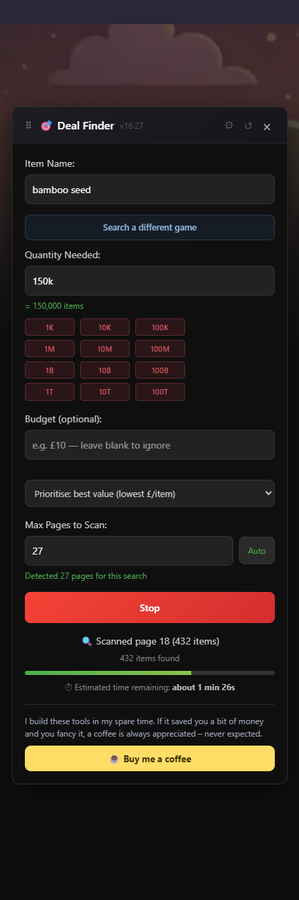
Say bamboo seed and 150k. Shorthand works, so
15k, 2.5m and 1b are all fine.
Add a budget if you have a ceiling in mind.
Every page of listings gets read. The promising ones are then checked against Eldorado's offer pages to confirm the real bundle size, minimum quantity and stock – because a listing that looks cheap per item often isn't once its minimum order is known.
The cheapest combination for your quantity, with how many units to buy from each listing and what you'll actually pay once payment fees are counted. Open a deal and the quantity box is filled in for you.
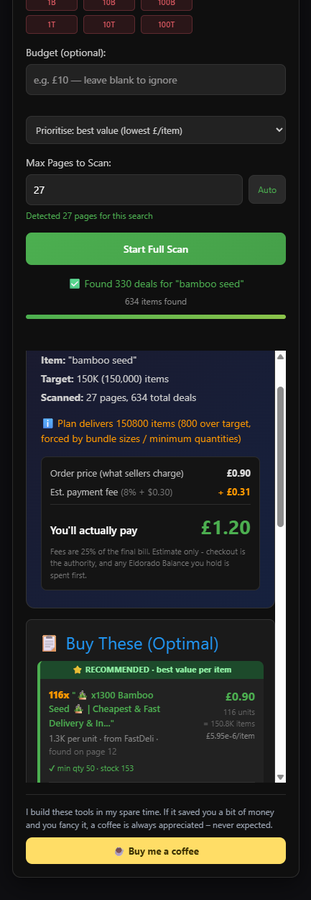
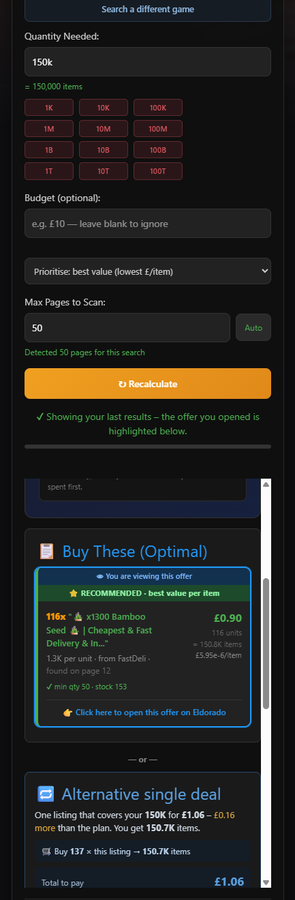
The cheapest combination for your exact quantity, with how many units to buy from each listing.
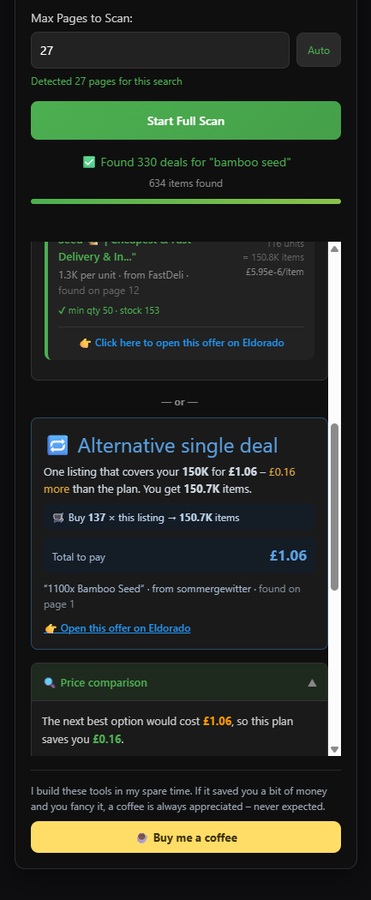
When a bigger bundle happens to cost the same or less than what you asked for.
Another option worth a look, when there's one that's genuinely different.
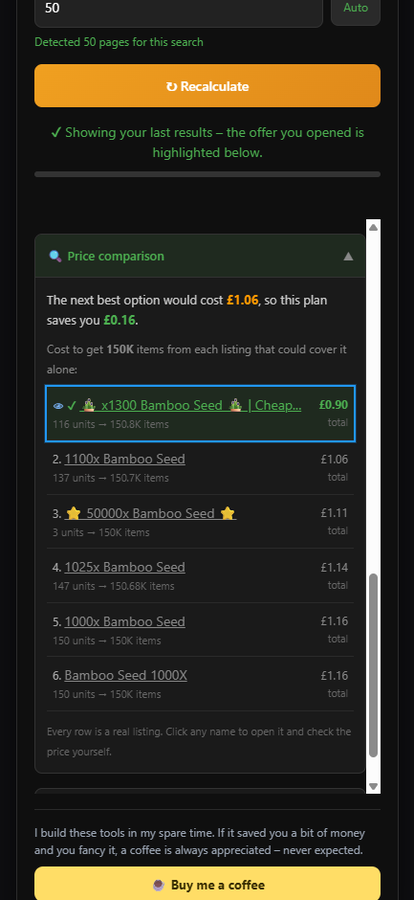
What each listing would cost you for the same quantity, so you can check the maths yourself.
Not affiliated with Eldorado.gg. Prices shown are estimates: checkout is always the authority, and any Eldorado balance you hold gets spent first. The extension reads listings and stores your settings locally in your own browser. It doesn't collect or send your data anywhere – the privacy policy spells that out in full.